Your email marketing, at Amazon SES prices.
Send through your own account, pay for sending directly, and see what happened to every email, recipient by recipient.
No card needed. We'll help you migrate.
- App and subscriber pages in 12 languages
- Unsubscribes, bounces and complaints are always honored, including when you migrate
- You send through your own Amazon SES, SendGrid, Mailjet, Azure or SMTP account
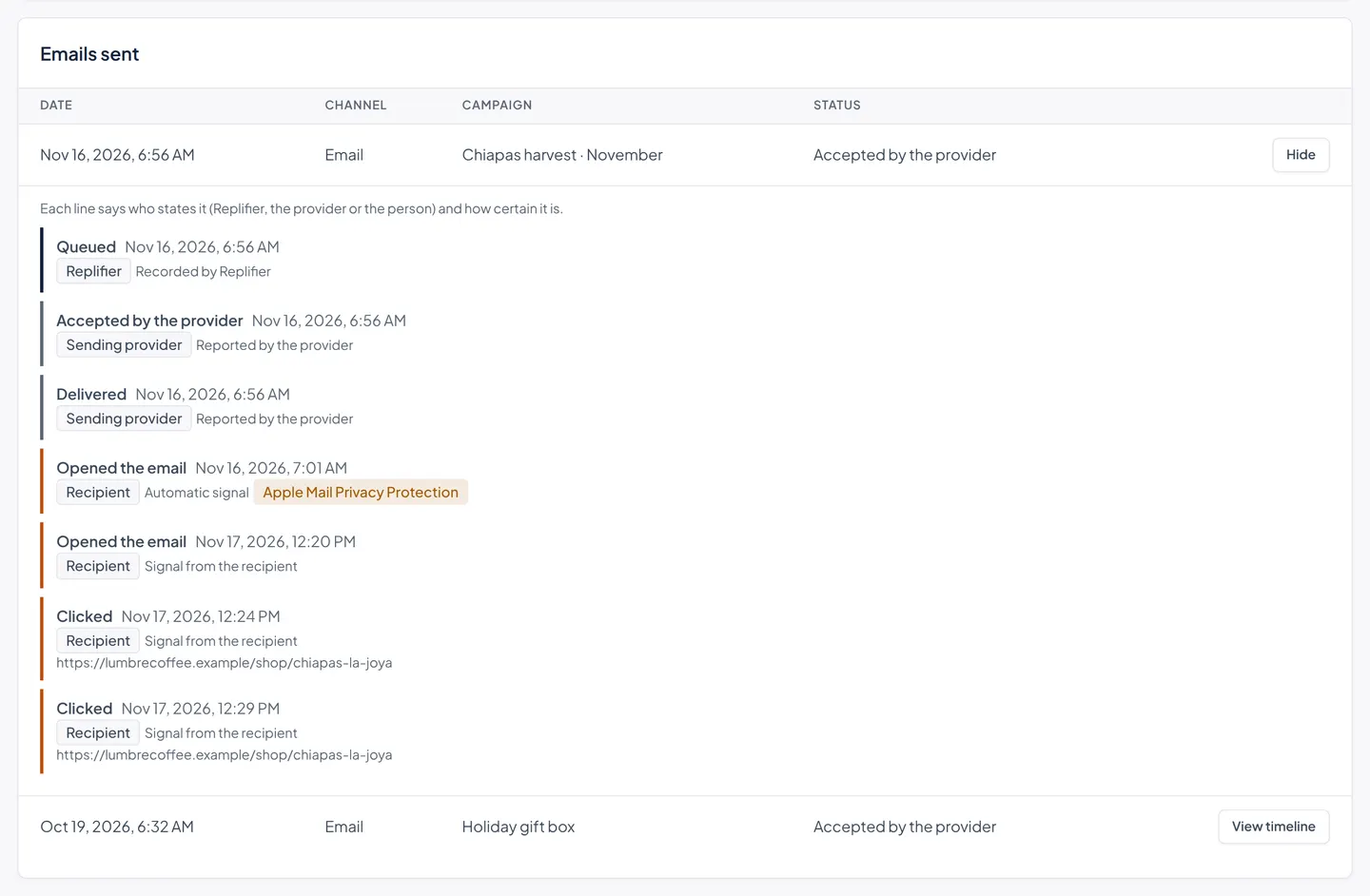
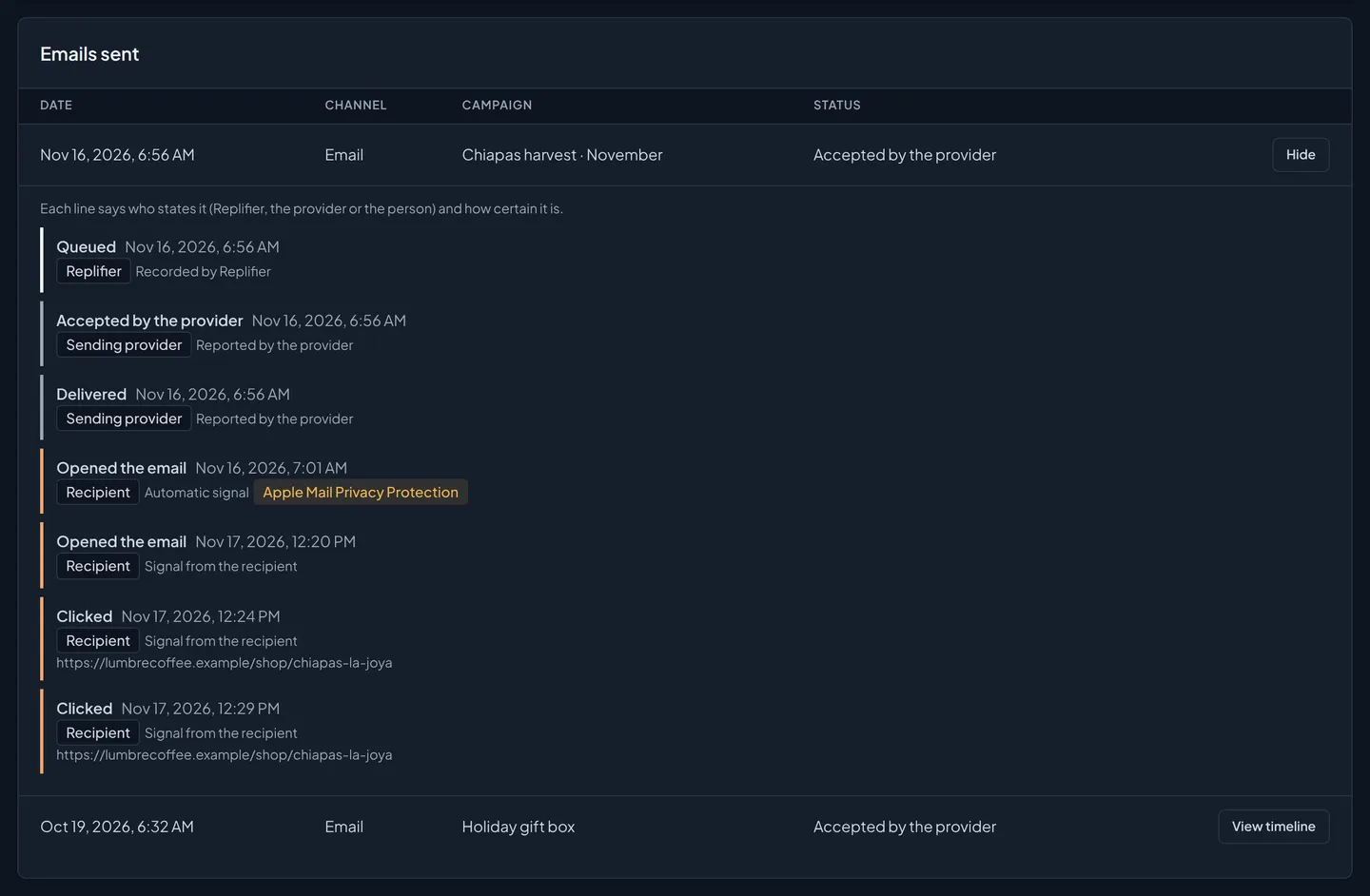
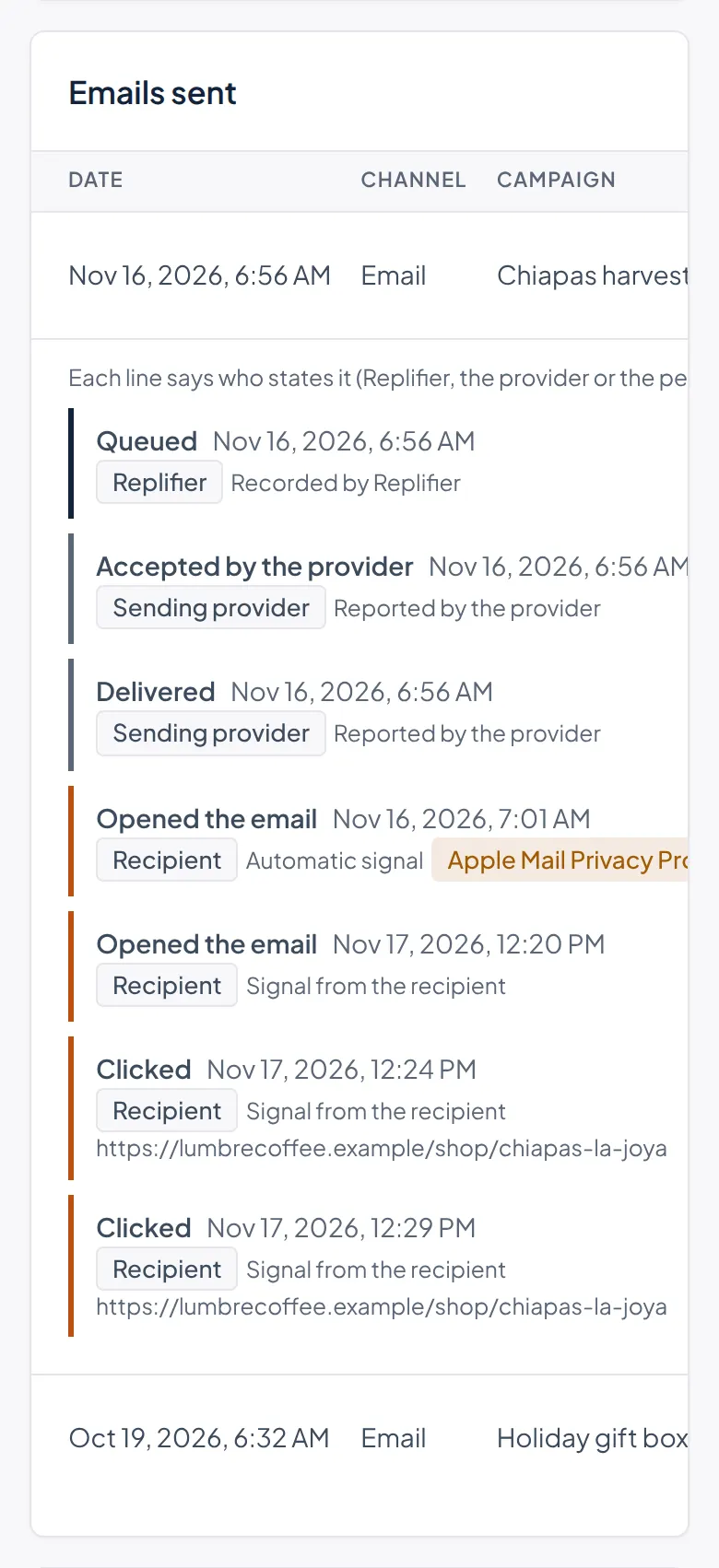
- Queued for sendingLogged by Replifier
- Accepted by SendGridReported by your provider
- Delivered to the receiving serverReported by your provider
- Automatic open by Apple MailFlagged separately: not a real open
- Opened the emailDone by the person
- Clicked “See the harvest”Done by the person
- Did it land in the primary inbox?No one can verify this, and we say so
Do the math: sending costs what Amazon SES charges.
Replifier doesn't charge you per email sent. You pay your provider for sending directly, at cost, and you pay us one plan per brand per month.
- Amazon SES · 100,000 emails
- ≈ $10 USD
- Replifier · Growth plan
- $15 USD
- Your monthly total
- ≈ $25 USD
Example: a list of 25,000 contacts that gets four campaigns a month (100,000 emails). That list fits in the Growth plan, which allows up to 100,000 contacts.
Amazon SES price: $0.10 USD per 1,000 emails, checked on November 22, 2026. Excludes attachments, which AWS bills per GB, and any other charges on your AWS account. Source: aws.amazon.com/ses/pricing
No card needed. We'll help you migrate.
Stop guessing why your opens dropped.
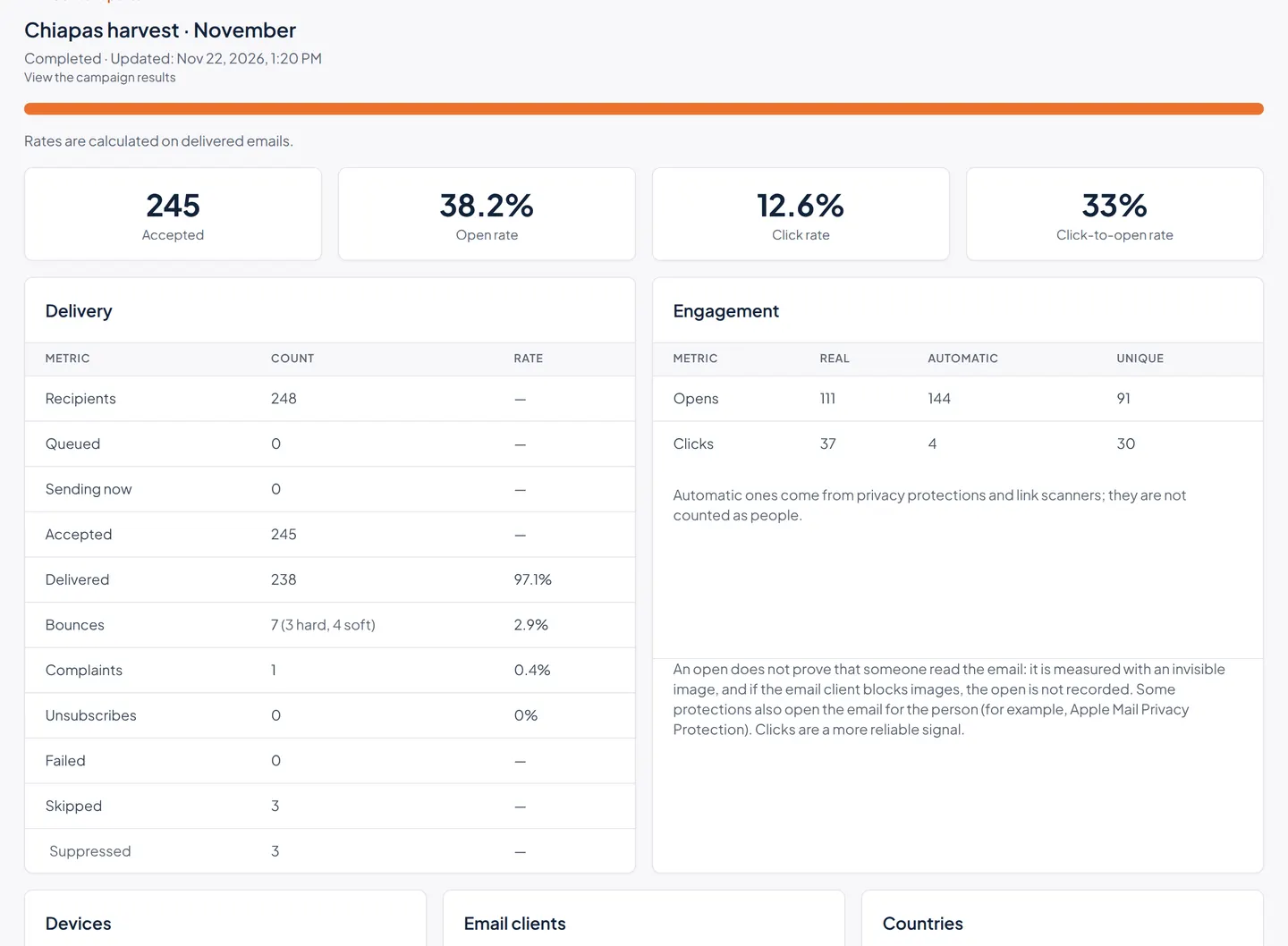
Some of your opens aren't people at all: they're Apple Mail, Gmail's proxy and link scanners. Replifier separates them and shows you what happened to every email, so you decide with data, not gut feeling.
| What happens to you today | What you get with Replifier |
|---|---|
| Your opens go up and down for no reason. | Automatic opens from Apple and Gmail and link scanners are counted separately. You see how many people actually opened. |
| A customer says your email never arrived. | Open their timeline and see what Replifier did, what your provider reported and what the person did. You answer with evidence, not guesses. |
| Your campaign is stuck on “preparing.” | No server or cron to babysit: we run the queue, it respects your provider's limit, and it pauses and resumes without sending duplicates. |
| Your import swallows contacts. | Before you confirm, you see who gets in, who's left out and why. Nobody disappears without an explanation. |
From your sending account to your first report, in four steps
Your provider stays yours, and you pay them directly. Replifier adds the structure, the checks and the evidence on top.
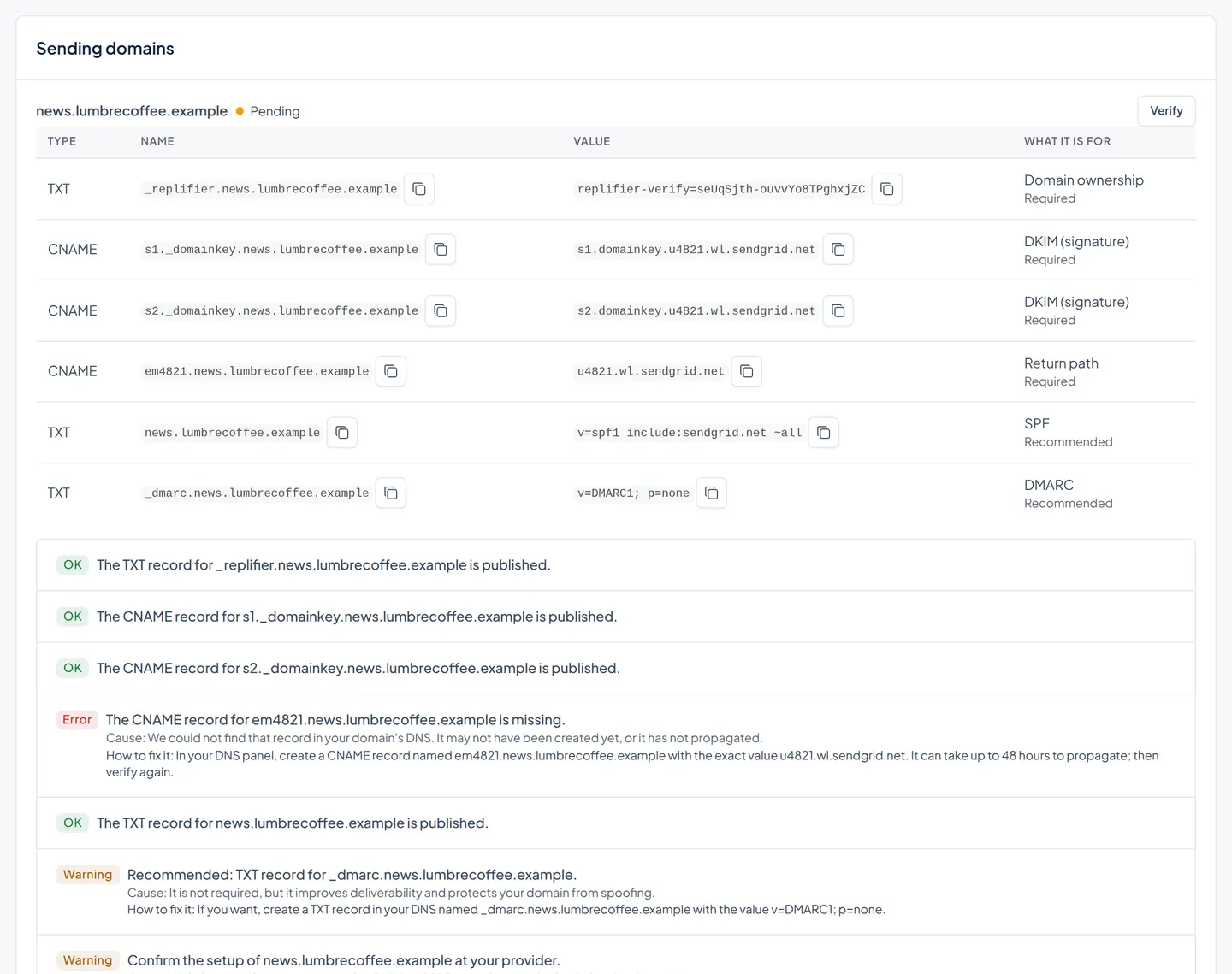
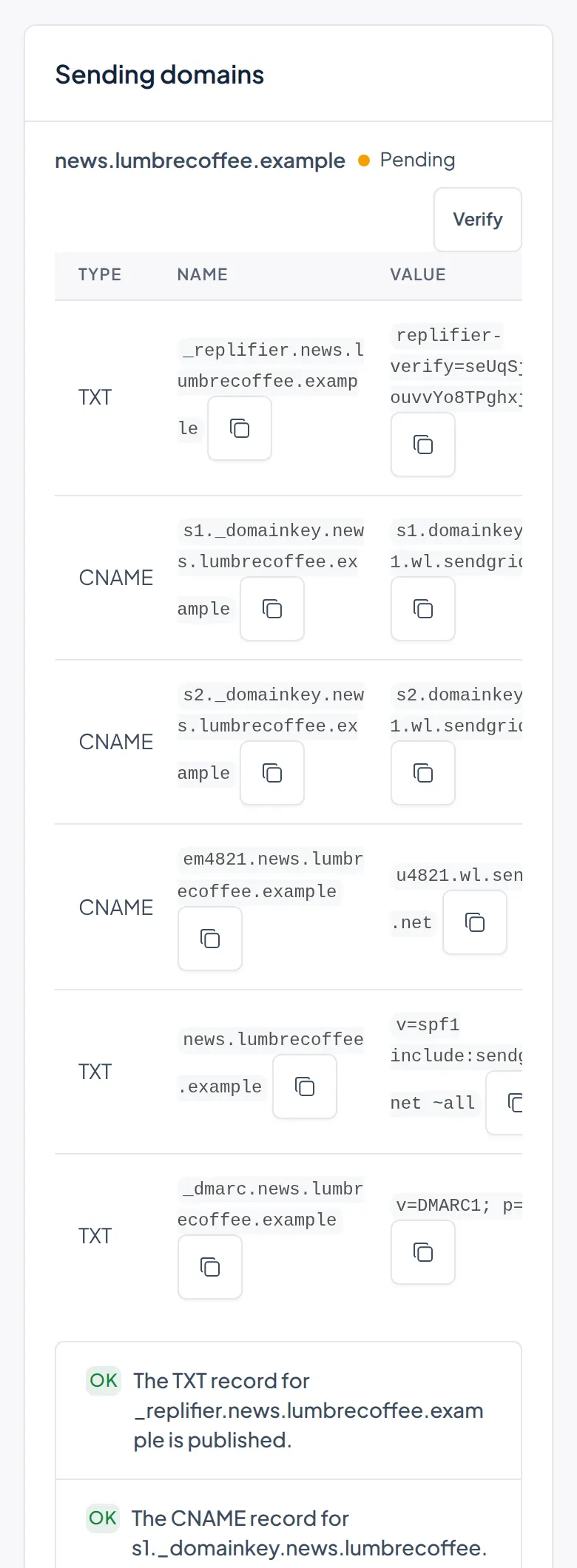
Use the sending account you already pay for
Connect Amazon SES, SendGrid, Mailjet, Azure Communication Services or any SMTP server. Your credentials are stored encrypted and never shown again.
- Replifier checks that your domain is set up correctly for sending and warns you if something breaks.
- You decide how fast SES sends, always within your quota.
- Deliveries, bounces and complaints from SES, SendGrid and Mailjet flow into Replifier automatically.
Bring your lists without losing anyone
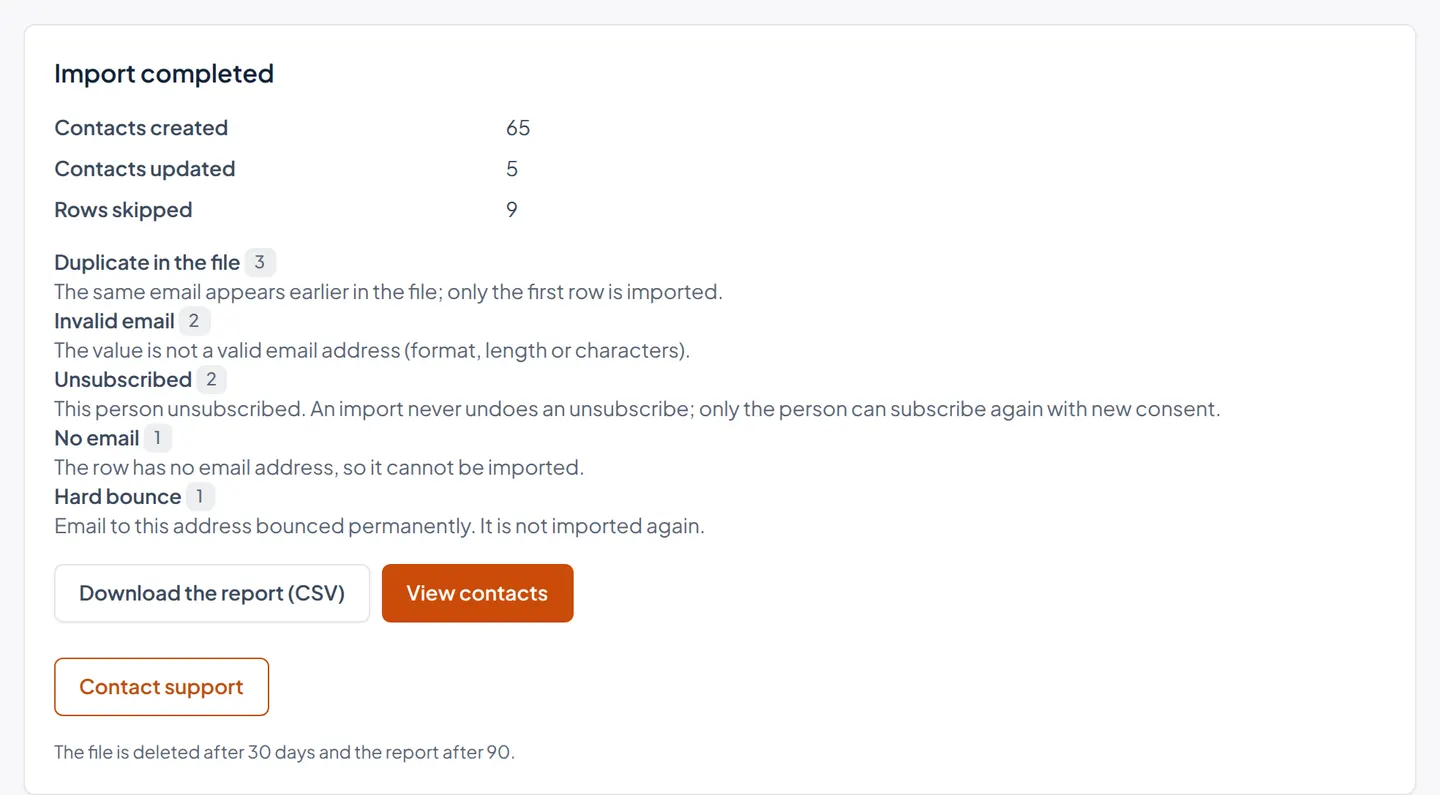
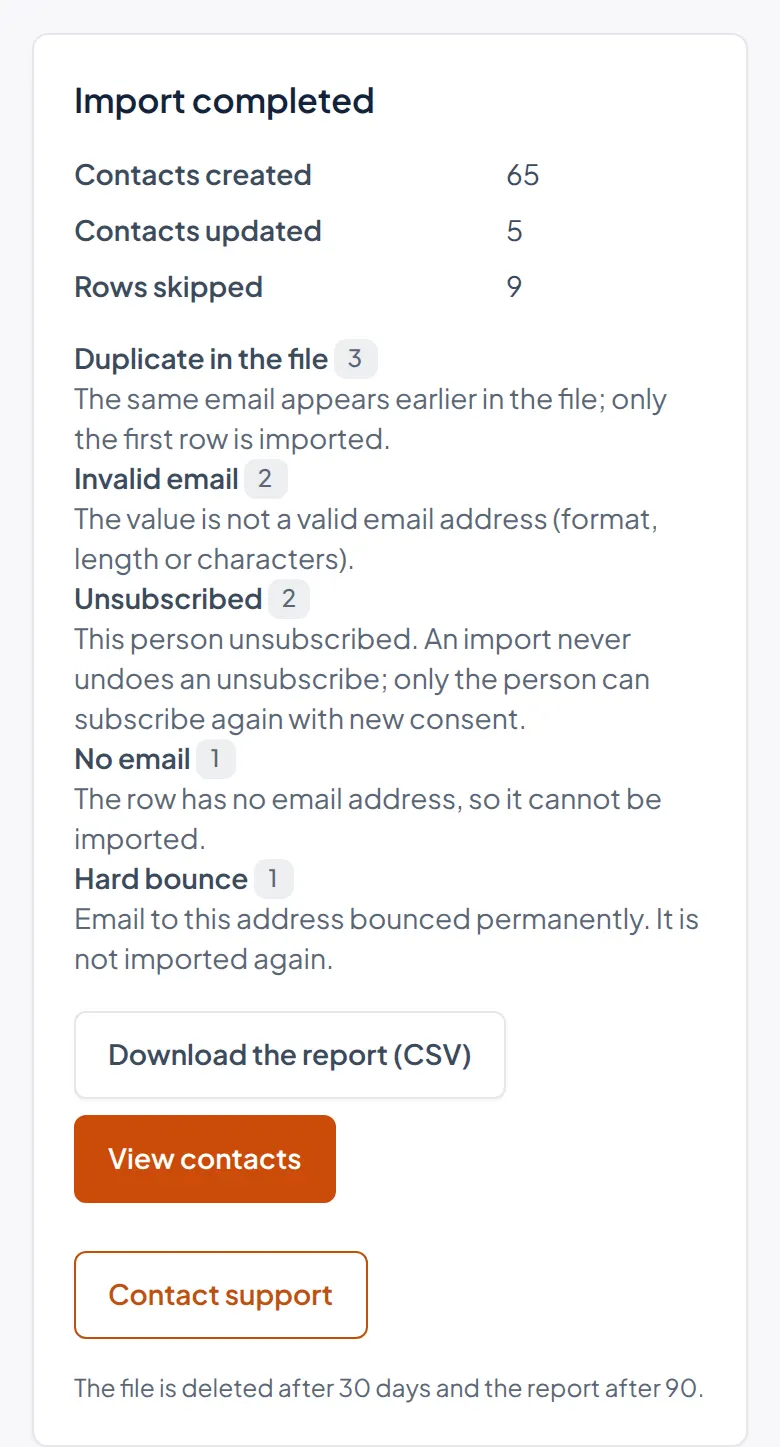
From Sendy, from Mailchimp, or from a CSV or Excel file. You choose which lists to bring and, before you confirm, you see who gets in, who's skipped and why.
- Unsubscribes, bounces and complaints stay protected: anyone who unsubscribed never gets your emails again.
- Your Sendy and Mailchimp segments arrive ready to use and update themselves.
- Every contact keeps their country, source, notes and consent status.
Send without fear of burning your domain
Before every send, a traffic light checks your domain, your audience and your links. If anything is red, the email doesn't go out. And if bounces or complaints spike mid-campaign, Replifier pauses it on its own.
- See who gets it and why each person is excluded, before you hit “Send.”
- It warns you before Gmail clips your email for being too heavy.
- A/B tests, time-zone and best-time sending, and AI-suggested subject lines with your own key.
- One-click unsubscribe in every email, as Gmail requires.
- Warm-up for new domains, frequency caps and, if you want, a second person who approves before sending.
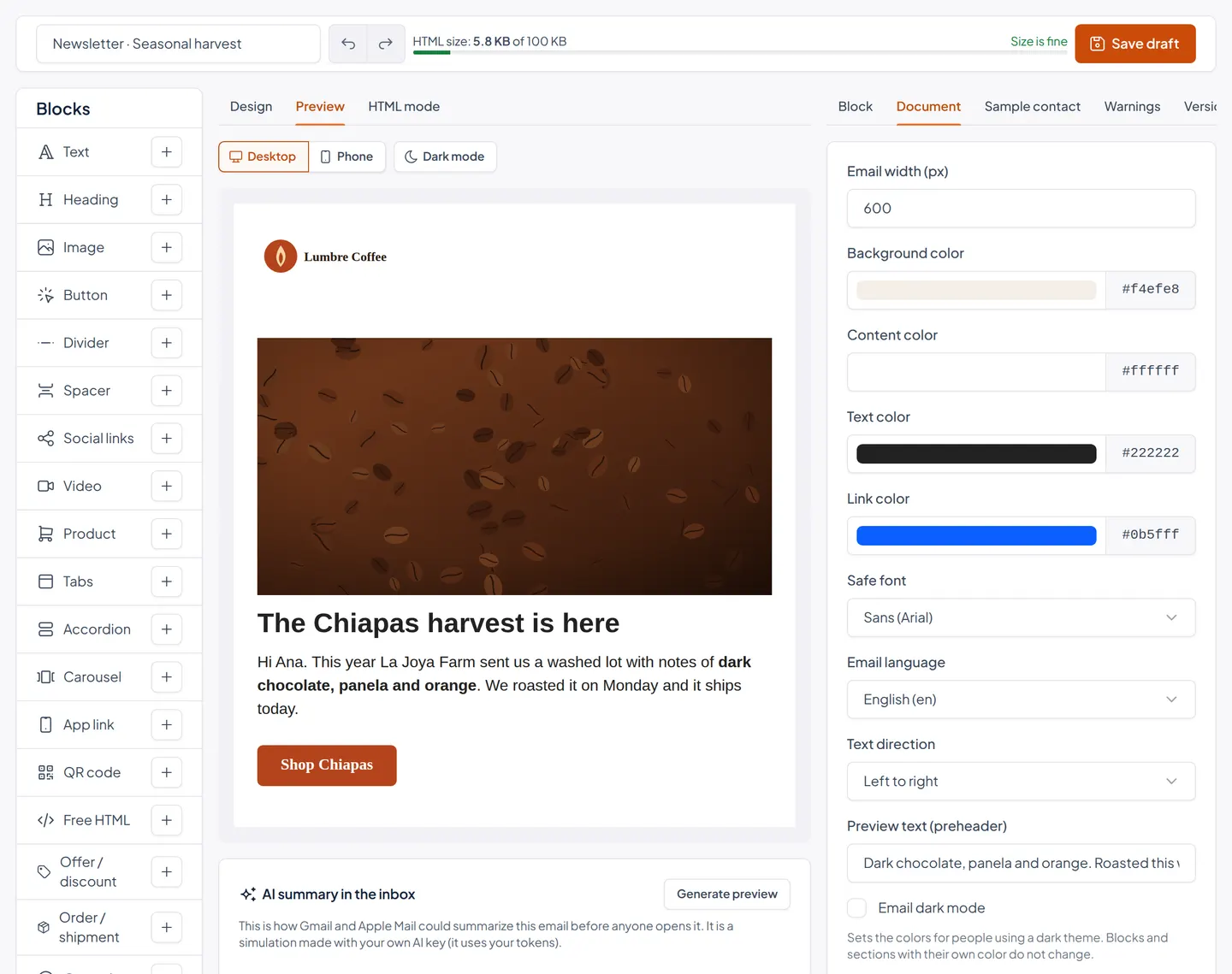
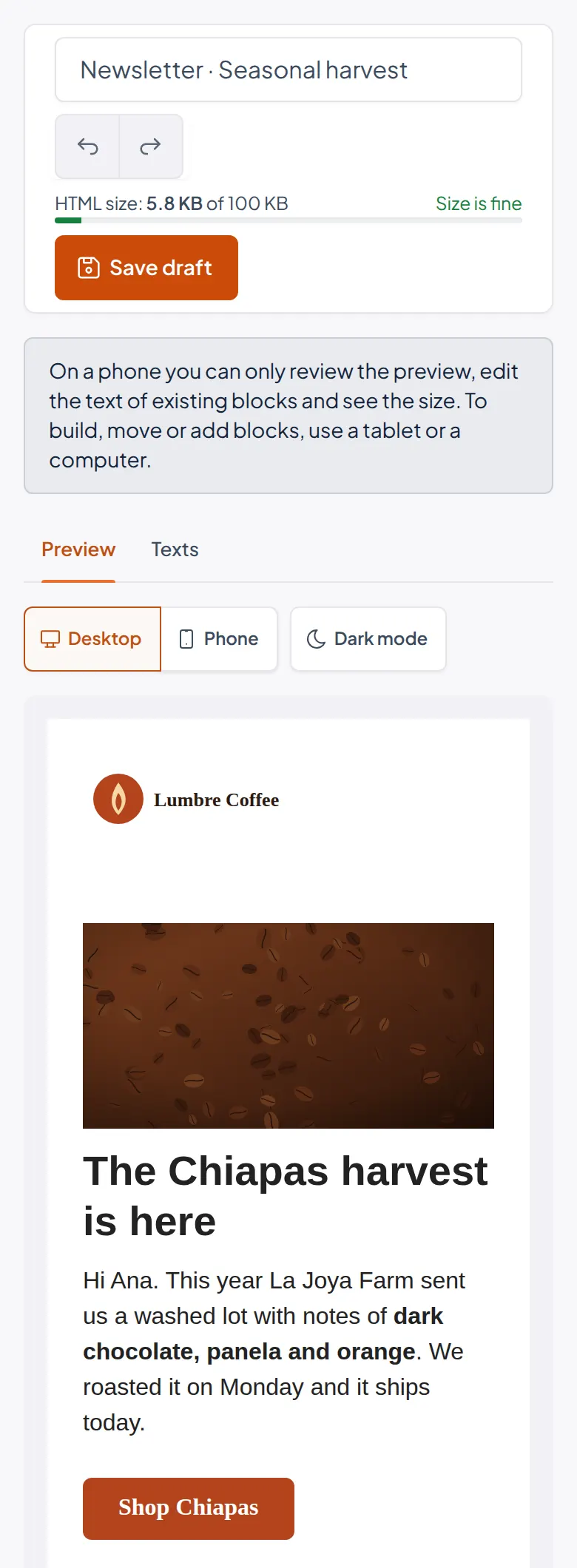
Know what happened to every email
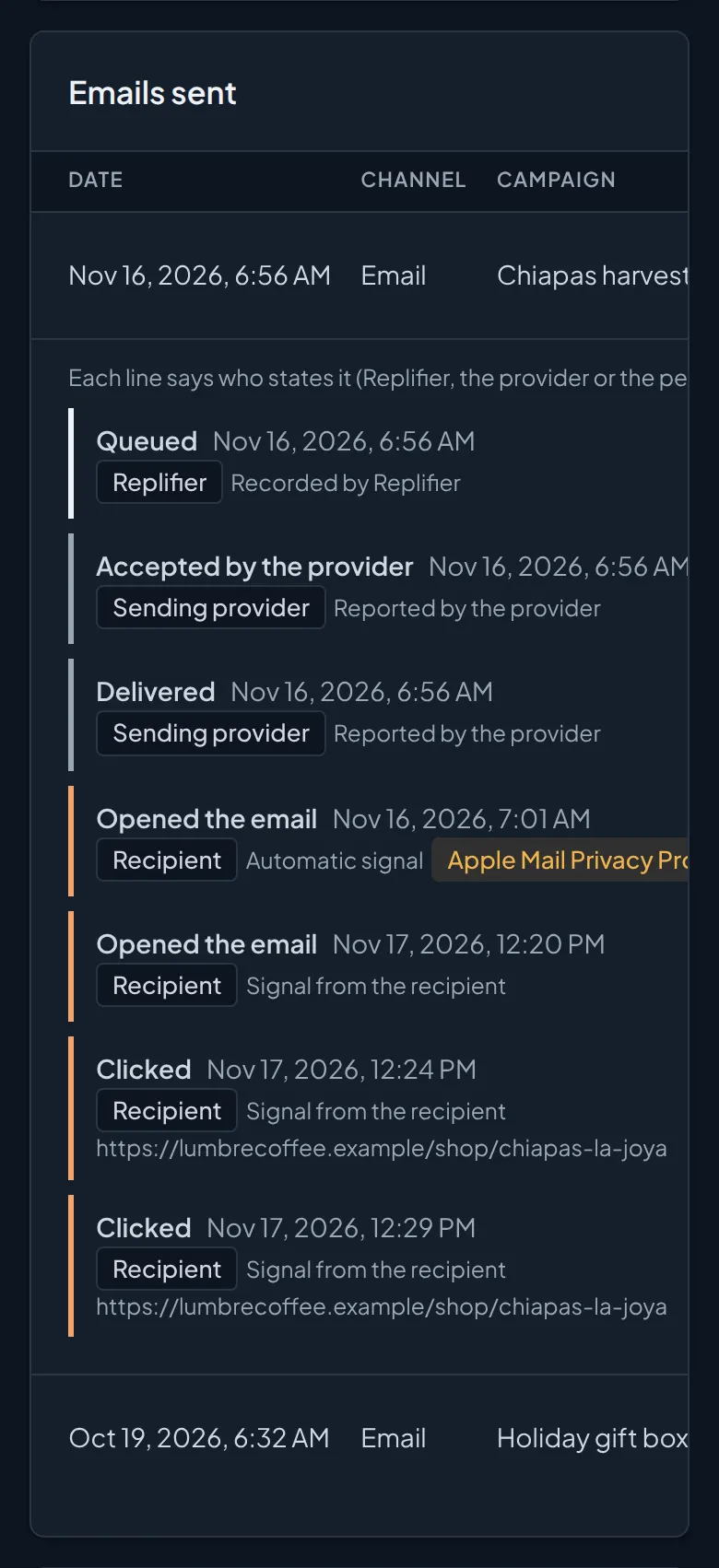
Every recipient has a timeline: what Replifier did, what your provider reported and what can't be verified. Your reports count people, not bots.
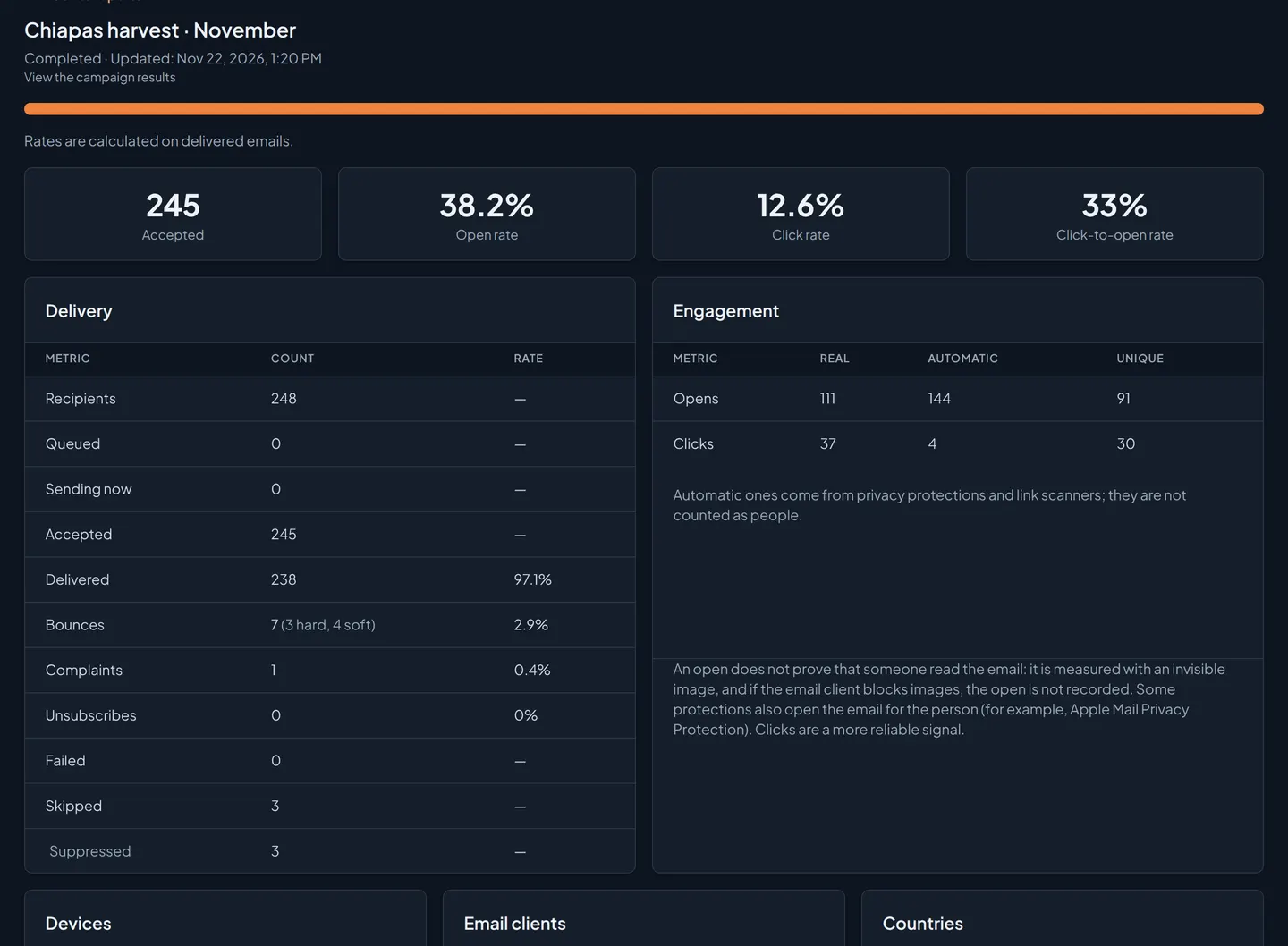
- Devices, email clients, countries, a click map and who clicked each link.
- The list of undelivered emails, with the reason for each, ready for cleaning up your list.
- PDF reports per campaign and per brand, ready for your boss or your client.
Write to the people who actually read you
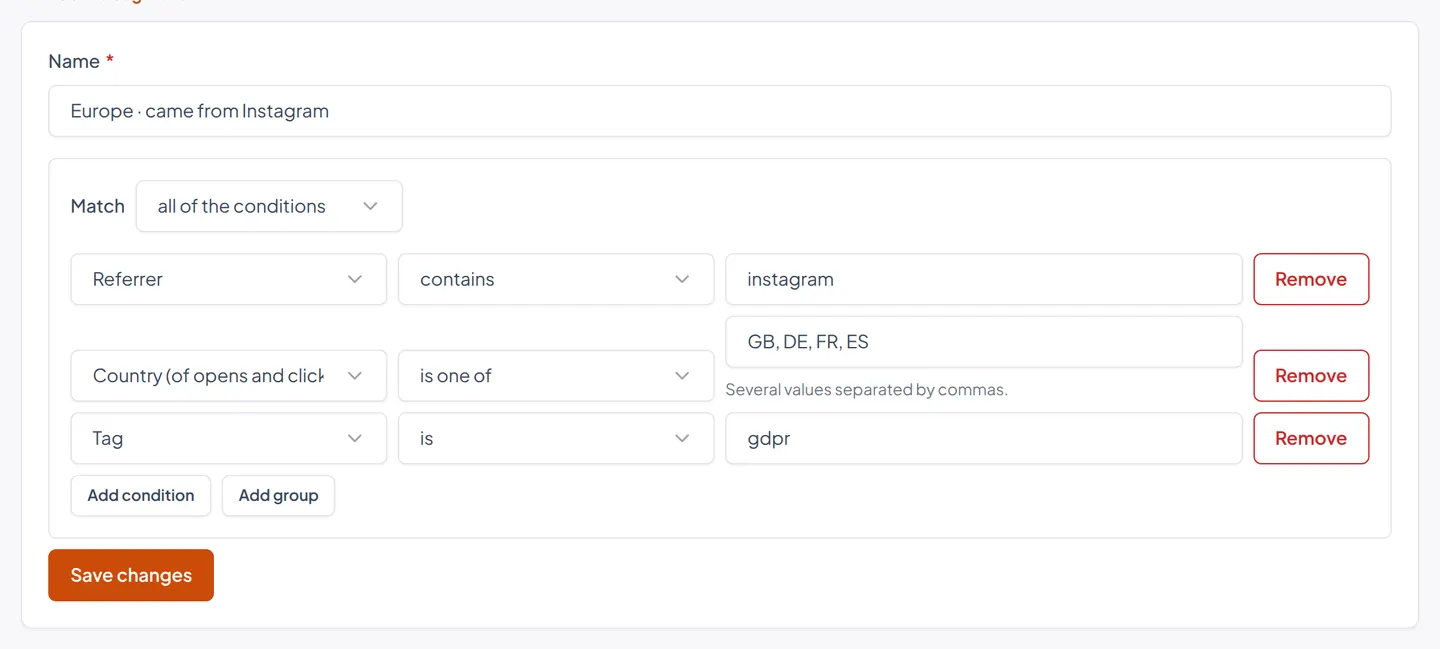
Build segments from each contact's source, the country they open from, their tags, lists, fields and activity. The count is live and the segment updates itself.
- Who came from Instagram, a search engine or your blog.
- The country they actually open and click from, not just the one they typed when signing up.
- Tags, lists, custom fields, dates and videos watched.
- Export any segment to CSV, edit it or delete it whenever you like.
- Conditions like “does not contain” or “ends with,” and dates that include the day you pick.
Comply with GDPR without spreadsheets
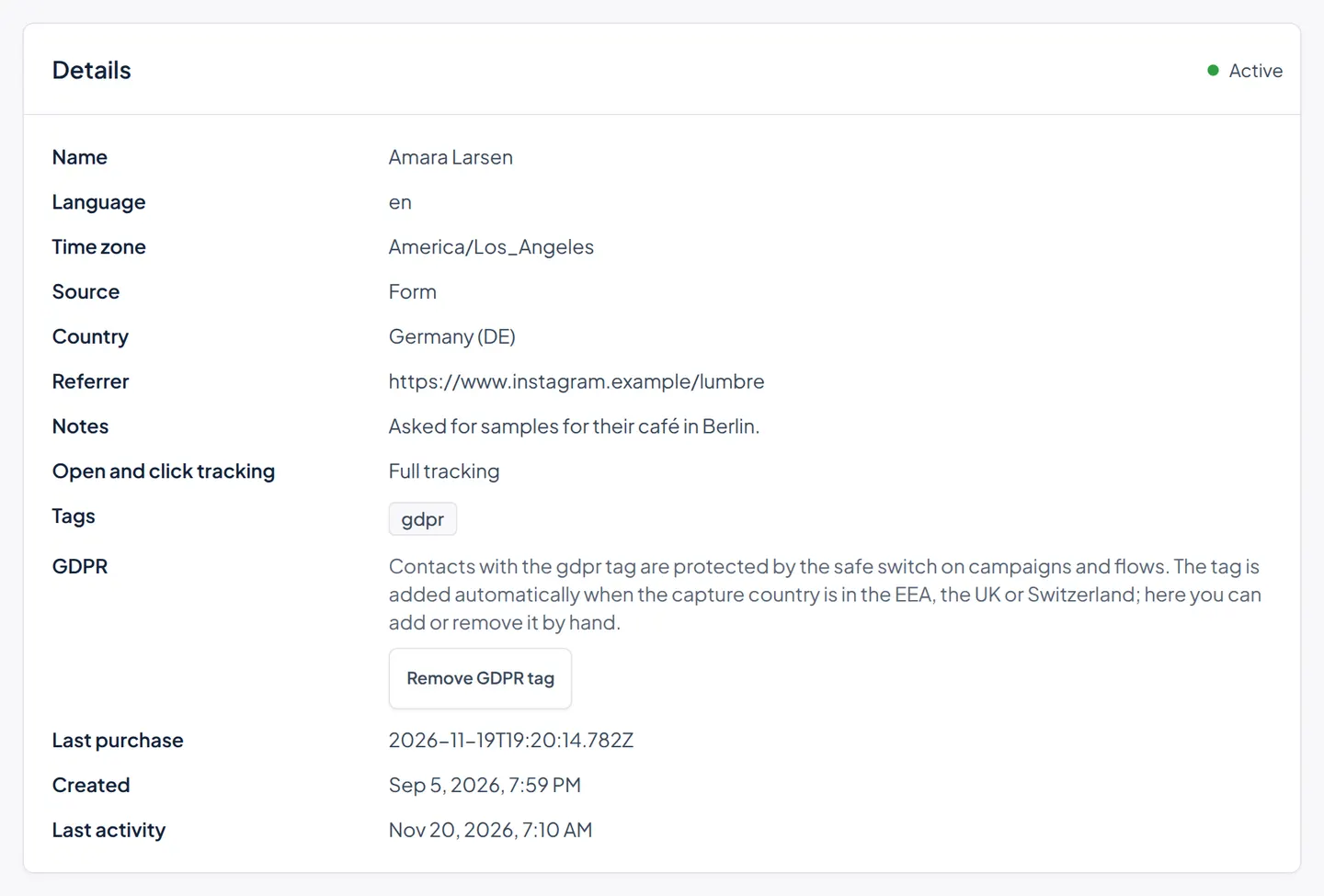
If you have contacts in Europe, Replifier identifies them and protects them on every send, without you having to remember.
- Contacts in the EEA, the UK and Switzerland are tagged automatically by country, or you can mark them by hand.
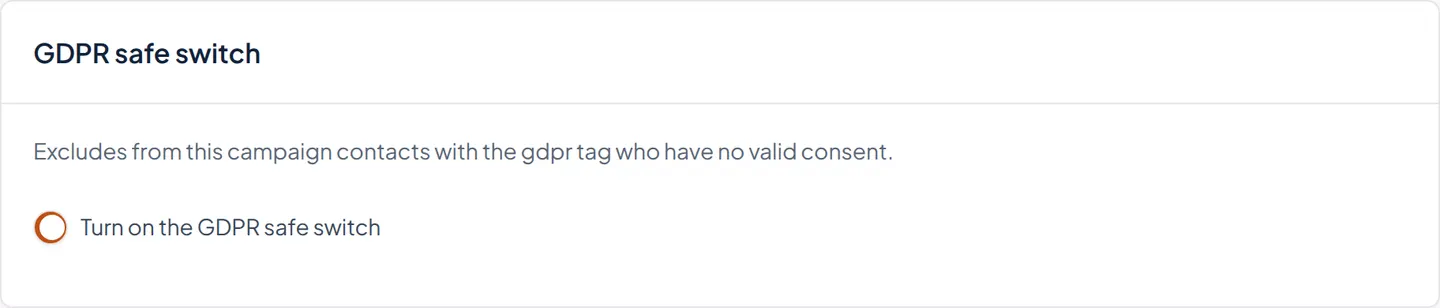
- A safety switch on campaigns and flows leaves out anyone without current consent.
- Re-consent campaigns via API: anyone who doesn't respond within 30 days is excluded, not deleted.
- Confirmation and unsubscribe pages on your own address, and a return to your site after confirming.
- Data access and deletion requests, plus the exact text each contact agreed to.
Move in an afternoon, without losing a single unsubscribe.
Tired of maintaining your Sendy? Stop fighting with cron, PHP and servers. We move you over, old links included: the emails you already sent keep working.
- Lists
- Contacts
- Fields
- Unsubscribes
- Bounces
- Suppressions
- Templates
- Campaigns
- Segments
- Autoresponders
- Connect the same Amazon SES account you already use: your sending reputation stays with you.
- From Mailchimp, everything via API, no file exports. You choose which lists or audiences to bring.
- Your segments arrive ready to use; if one can't be translated, we let you know.
- Your autoresponders arrive as draft flows, with their emails and delays, ready to review.
- You can resend the confirmation to anyone who arrived unconfirmed.
No card needed. We'll help you migrate.
Before you choose, ask yourself these questions
They're the ones we asked ourselves while building Replifier. We tell you what Replifier does and, where another tool does it too, we say so.
| The question | With Replifier |
|---|---|
| Do you know how many of your opens are Apple, not people? | Replifier flags automatic opens from Apple Mail and Gmail, and those from link scanners, separately. Your reports count people. |
| Does your bill grow with every email you send? | Replifier doesn't charge per email. You pay your provider for sending directly, at their list price, and pay Replifier one plan per brand per month. |
| Can you tell a customer what happened to their email? | Yes. Every recipient has a timeline, with what Replifier did, what your provider reported and what can't be verified. |
| Does your tool depend on a server you have to maintain? | Sendy uses your own SES account, but you install it on your server with PHP, MySQL and cron. Replifier uses the same SES account and asks for none of that. |
| Want flows with branches and A/B tests without leaving your own sending account? | Sendy's autoresponders run in sequence, with no branches or A/B tests. Mailchimp, Brevo, Klaviyo and ActiveCampaign do have them, but they send through their own infrastructure. Replifier gives you both. |
| What happens to your unsubscribes and old links if you switch tools? | Unsubscribes, bounces and complaints arrive protected. And if you point your Sendy domain at Replifier, the links in emails you already sent keep working. |
Sources: analysis of Sendy's code and forum, and each tool's public documentation, reviewed in November 2026. Spot a mistake? Write to us and we'll fix it.
Everything you need to grow, already in the app
Nothing on this list is a future promise: it's already in the app or the API. Where it's API-only, we say so.
Your brand, your domain
- Your own domain on each brand's unsubscribe links, web version and tracking.
- Sender, language, time zone and privacy set per brand, ready for every send.
- Bot-protected forms and pop-ups, landing pages and a preference center.
- Integrations with Shopify, WooCommerce and Stripe.
Your reputation, monitored
- If Gmail starts to view your domain poorly, you'll know: an incident opens with the cause.
- Reports on who sends email on behalf of your domain, with the trend.
- Checks for your domain, blocklists and your contact lists.
- Automatic pause at the limits you set.
Automate
- Flows on a visual canvas: triggers, delays, conditions, branches and A/B tests.
- By date, on signup or on unsubscribe, with alerts to your team and connections to your systems.
- Test a step with a real contact before turning it on, and duplicate flows.
- For every contact, you know why they're on that step.
Video and Drive
- Video in email with an animated preview and a unique link for each recipient.
- A branded player, captions (AI-generated too) and chapters.
- Drive with folders, versions and link-shared documents, with analytics and expiry dates.
- Drive images, right inside the editor.
Agencies and white label
- All your clients' brands in a single agency dashboard.
- A sending limit per client, with its own reset day.
- White label: your logo, your colors and your domain on the app.
- Reports under your agency's name, and per-brand roles for your team.
For your developers
- A complete, documented API, with Python and TypeScript clients.
- Signed notifications to your systems the moment something happens, with retries.
- One-to-one transactional email, with logging and search.
- Import an email's HTML from a URL, via API.
For everyday work
- The app in 12 languages, with Mexican, Spanish and Argentine Spanish as separate options.
- In-app help, with the context of your issue already attached.
- Duplicate campaigns and templates from one brand to another.
One price per brand. Sending at cost.
Price per brand per month, in US dollars. Your provider bills you for sending directly, with no middleman and no markup.
Free
$0 USD
per brand per month
- Up to 1,000 contacts
- 5,000 emails a month
Starter
$7 USD
per brand per month
- $5.83 USD a month billed yearly
Growth
$15 USD
per brand per month
- $12.50 USD a month billed yearly
- 14-day trial
Scale
$30 USD
per brand per month
- $25 USD a month billed yearly
Enterprise
$50 USD
per brand per month
- $41.67 USD a month billed yearly
- Billed yearly, you pay for 10 months out of 12.
- Agencies with 5 or more paid brands: 30% off, monthly and yearly.
- 14-day trial of the Growth plan.
The details, for your technical team
Everything above, spelled out. We don't promise the inbox, because no one can; this is what we do so you can earn it.
Deliverability
- Domain health: SPF, DKIM, DMARC, MX and BIMI, with monitoring and alerts.
- Google Postmaster Tools via OAuth (a reputation drop opens an incident) and aggregate DMARC reports with trends.
- List verifier (syntax, MX, disposable, role accounts and typos) and lookups against public blocklists.
- One-click unsubscribe in the email header: List-Unsubscribe and List-Unsubscribe-Post (RFC 8058).
- Size meter: a warning at 75 KB and a block at 100 KB, because Gmail clips messages over ~102 KB.
- Pre-send traffic light (green, yellow or red; red doesn't go out) and automatic pause with per-brand bounce and complaint thresholds.
Security
- Sign in with a code sent by email: there's no password to steal.
- Two-step verification with recovery codes, mandatory for your whole organization if you choose.
- Single sign-on with SAML or OIDC, plus automatic provisioning.
- Per-brand roles and second-person approval before sending.
- REST API with a public OpenAPI contract and idempotency; keys with scopes, expiry and IP allowlists.
- A chained audit log no one can edit or delete, and you can export.
- Provider credentials encrypted with your organization's own key; HSTS and TLS 1.2 or higher.
Privacy
- Three tracking modes per brand: full, anonymous or no tracking.
- If a contact declines tracking, they're treated as anonymous.
- Consent with evidence (text and version), plus double opt-in.
- Per-brand suppression: an unsubscribe on one brand doesn't touch the others.
- This site doesn't use tracking cookies.
Frequently asked questions
Does Replifier send my emails?
Not on its own infrastructure. Your emails go out through your Amazon SES, SendGrid, Mailjet, Azure or SMTP account. Replifier coordinates sending, respects your provider's limits and records what happened to every email.
Do you guarantee inbox delivery?
No, and be wary of anyone who promises it. What we do is check your domain and your lists, stop a send before it damages your reputation and tell you clearly what can and can't be verified.
Can I move from Sendy or Mailchimp without losing anything?
The migrator brings over lists, contacts, fields, unsubscribes, bounces, suppressions, templates, campaigns, segments and autoresponders. If you point your Sendy domain at Replifier, the unsubscribe and click links in emails you already sent keep working.
What happens to unsubscribes and bounces when I import?
They're always honored. Before you confirm, you see how many contacts will be skipped and why, and then you decide.
How do you count opens?
We separate human opens from automatic ones (Apple Mail, Gmail's proxy and link scanners). And each brand chooses its tracking mode: full, anonymous or no tracking.
How much does it cost?
You pay one plan per brand per month, and there's a free plan. You pay your provider for sending directly, at their list price. The plans are above and on the Plans page.
How do I get started?
Create your account in the dashboard and try the Growth plan for 14 days, no card needed. When the trial ends, pick a plan or stay on the Free plan. Nothing is deleted: your lists, campaigns and reports are still there.
Can my whole team use it?
Yes. Each person has a role per brand and sees only what's theirs. You can require two-step verification and sign in with your company login.
No card needed. We'll help you migrate.
Create your account and start sending
Connect your provider, import your lists and send today. You get 14 days of the Growth plan; when it ends, pick a plan or stay on Free.
No credit card.